
Analysis Profiles#
Analysis profiles let you store multiple MEGqc runs for the same dataset without overwriting derivatives. This is useful for sensitivity checks (for example, different filtering, epoching, or threshold choices).
Profile layout#
Legacy layout:
derivatives/Meg_QC/calculation/
derivatives/Meg_QC/reports/
derivatives/Meg_QC/summary_reports/
Profile layout:
derivatives/Meg_QC/profiles/<analysis_id>/calculation/
derivatives/Meg_QC/profiles/<analysis_id>/reports/
derivatives/Meg_QC/profiles/<analysis_id>/summary_reports/
Modes (--analysis_mode)#
Mode |
Behavior |
|---|---|
|
Classic non-profile path under |
|
Create/use a profile. If no |
|
Use an existing profile; requires |
|
Resolve the most recently modified profile automatically. |
CLI examples#
# New profile with auto-generated ID
run-megqc --inputdata /path/to/dataset --analysis_mode new

# New/reused explicit profile ID
run-megqc --inputdata /path/to/dataset --analysis_mode new --analysis_id v2_filtering

# Reuse existing profile
run-megqc --inputdata /path/to/dataset --analysis_mode reuse --analysis_id v2_filtering

# Plot from latest profile
run-megqc-plotting --inputdata /path/to/dataset --qa-group --analysis_mode latest
GUI workflow#
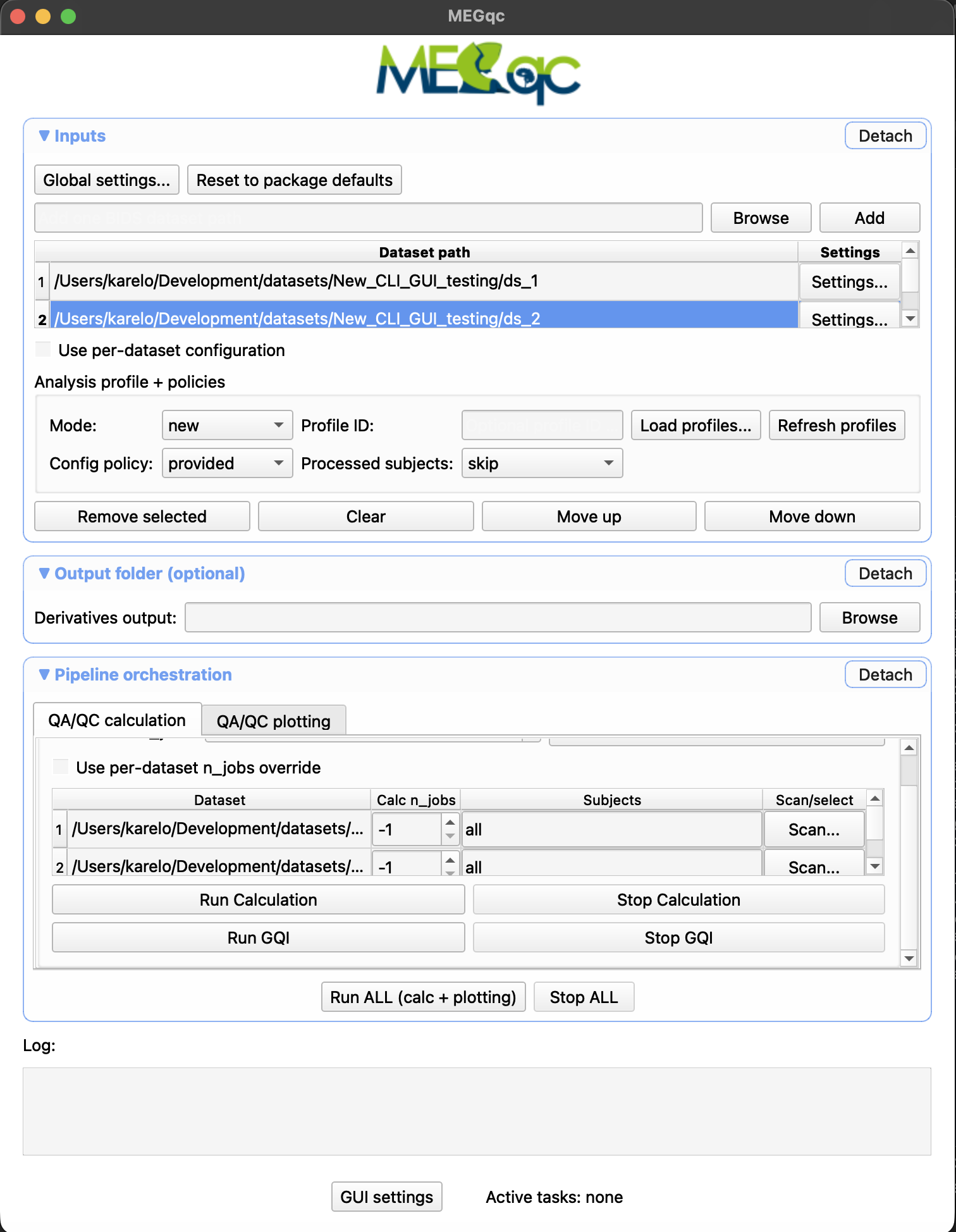
In the Inputs section of the GUI:
choose profile mode,
set or load profile ID,
refresh available profiles,
apply policy controls for existing settings and previously processed subjects.
Multi-dataset behavior#
For multi-dataset runs in new mode, MEGqc uses one shared analysis_id across datasets in the same run so cross-dataset plotting can target the same profile namespace.