Installer-based Installation Guide#
This pathway is intended for users who want a packaged installation with minimal manual setup.
1. Download installer bundle#
Download and extract:
Included scripts:
OS |
Script |
How to run |
|---|---|---|
Windows 10/11 |
|
Double-click |
Linux (x86) |
|
Make executable, then run |
macOS (ARM/Apple Silicon) |
|
Allow execution, then run |
What the installer does
Creates a MEGqc folder in the user home directory.
Provisions a compatible Python 3.10 runtime.
Creates a virtual environment.
Installs MEGqc and dependencies.
Creates desktop launch/uninstall shortcuts.
2. Platform notes#
Linux#
cd /path/to/installer
chmod +x install_MEGqc.sh
./install_MEGqc.sh
macOS#
If Gatekeeper blocks the script on first run:
Double-click
install_MEGqc.command.Open System Settings -> Privacy & Security.
Click Open Anyway for the blocked script.
3. Launching and uninstalling#
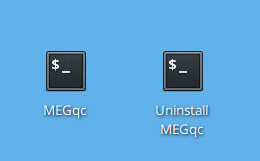
Desktop shortcuts are created for launch and uninstall.
4. Installation paths#
Windows:
C:\Users\<user>\MEGqcLinux:
/home/<user>/MEGqcmacOS:
/Users/<user>/MEGqc
5. Optional manual environment activation#
Windows:
\Users\<user>\MEGqc\env\Scripts\activateLinux:
source /home/<user>/MEGqc/env/bin/activatemacOS:
source /Users/<user>/MEGqc/env/bin/activate
Continue with the Tutorial.